LightReach inside SurgePV: every screen, and the journeys between them
Fictional example data for Bluestem Solar, a stand-in Sacramento installer. 14 screens; 8 are tagged Needs backend work. Nothing new gets its own area: the connection sits in Project Settings › Pricing & Financing, and quoting sits in the existing Payments tab, in the Lease and PPA cards. LightReach rates, terms and rules shown here are examples, not real offers.
What this shows
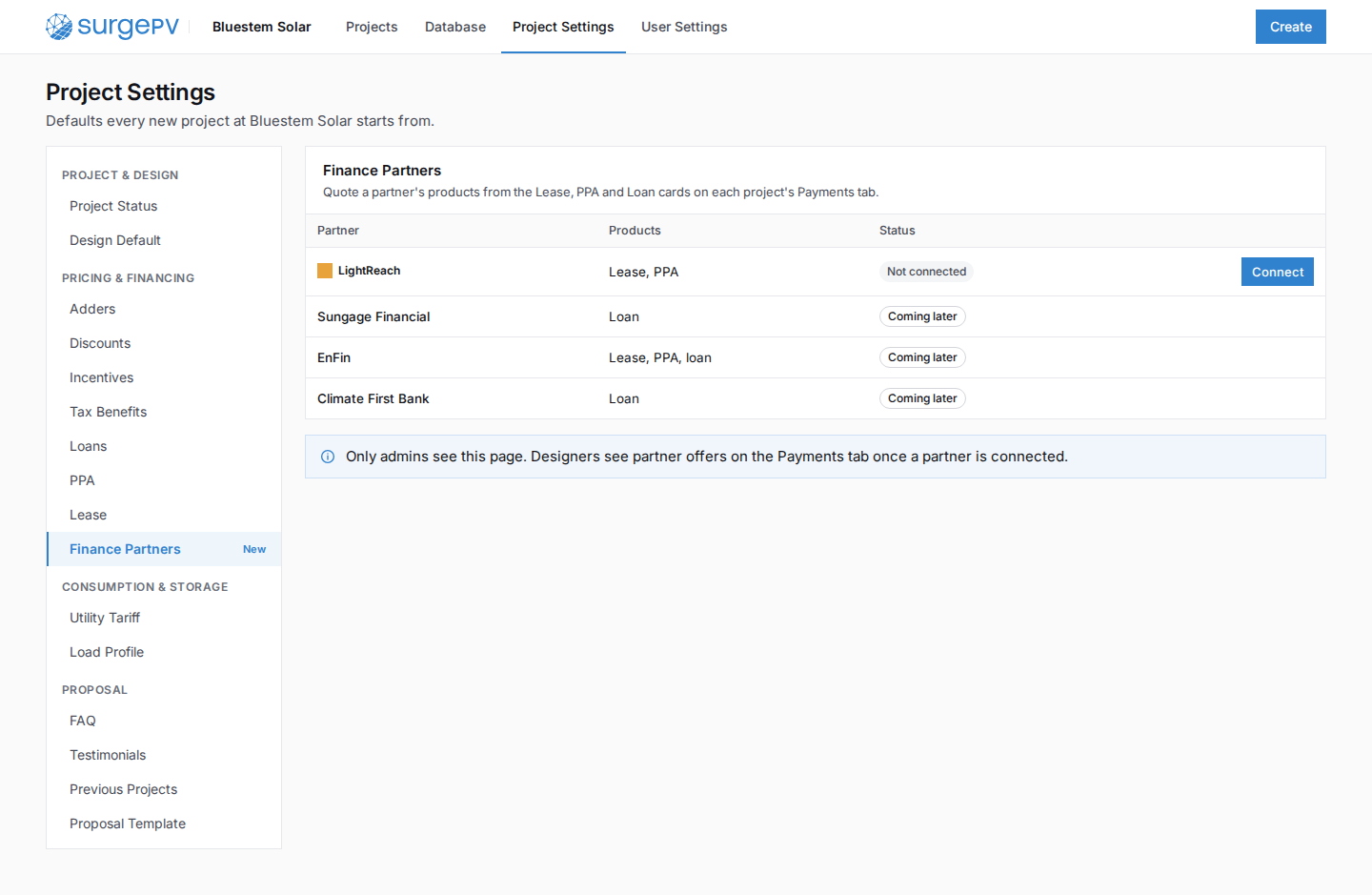
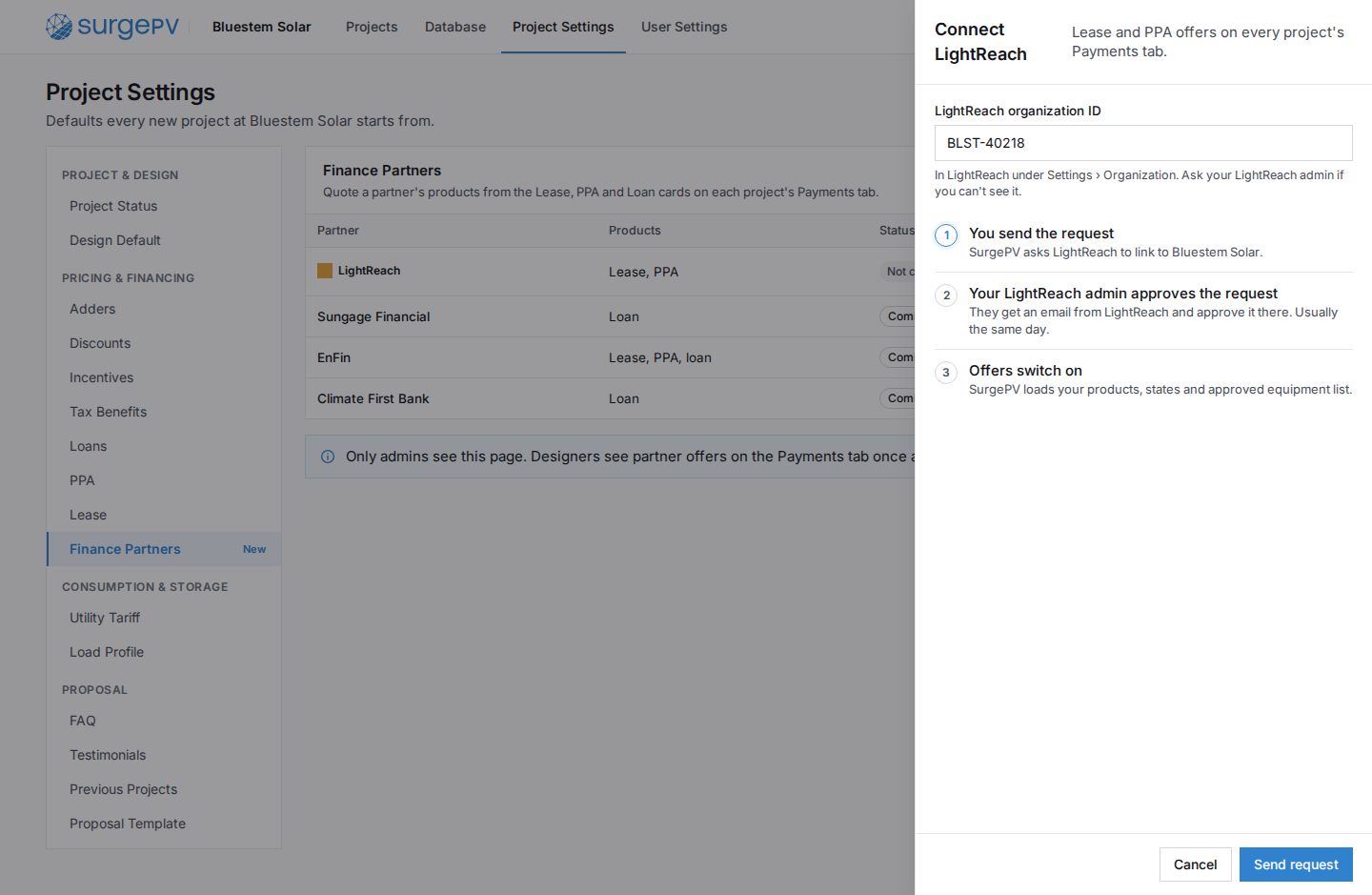
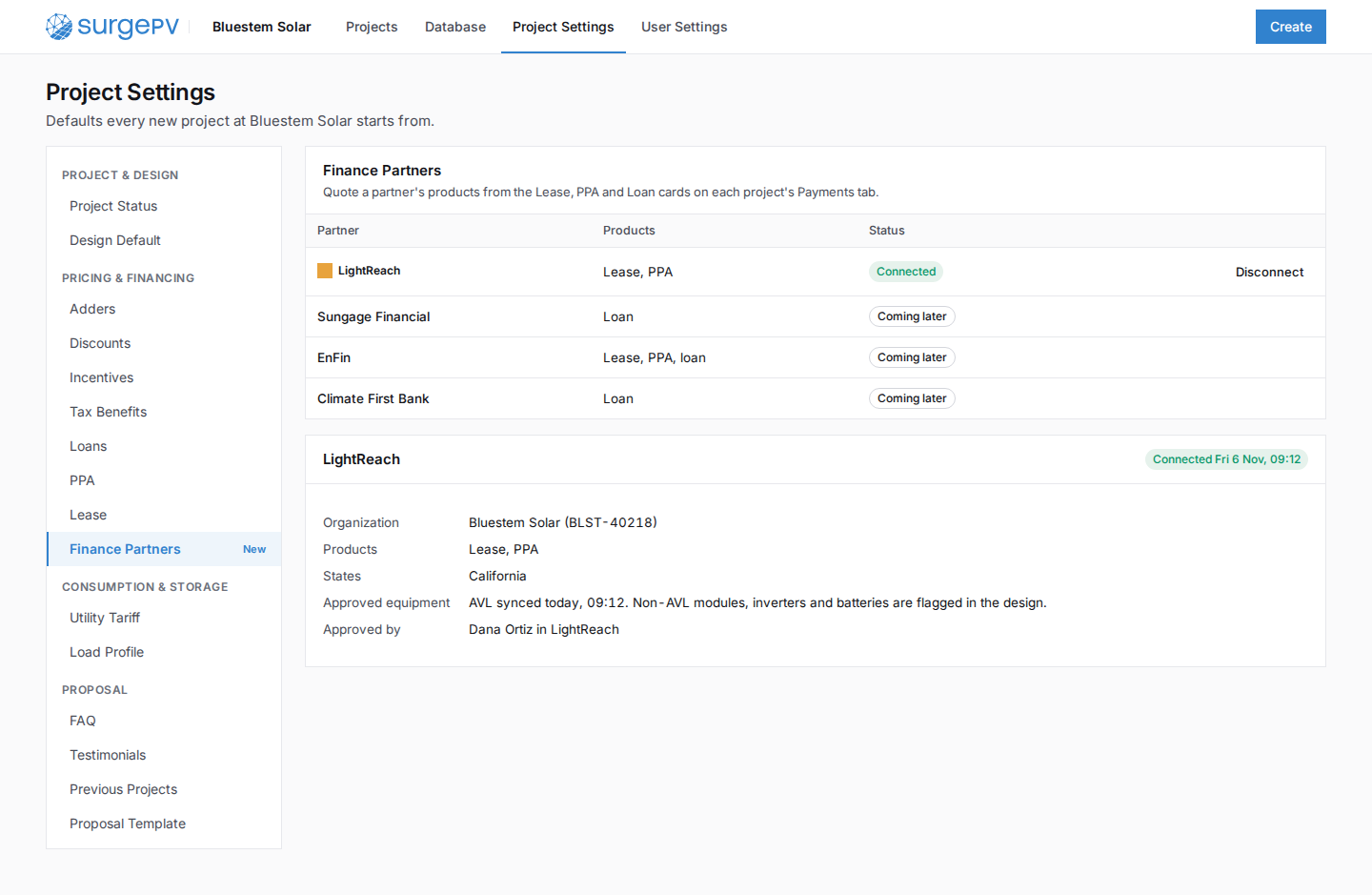
- An admin connects LightReach once. A LightReach admin at the installer approves it on their side.
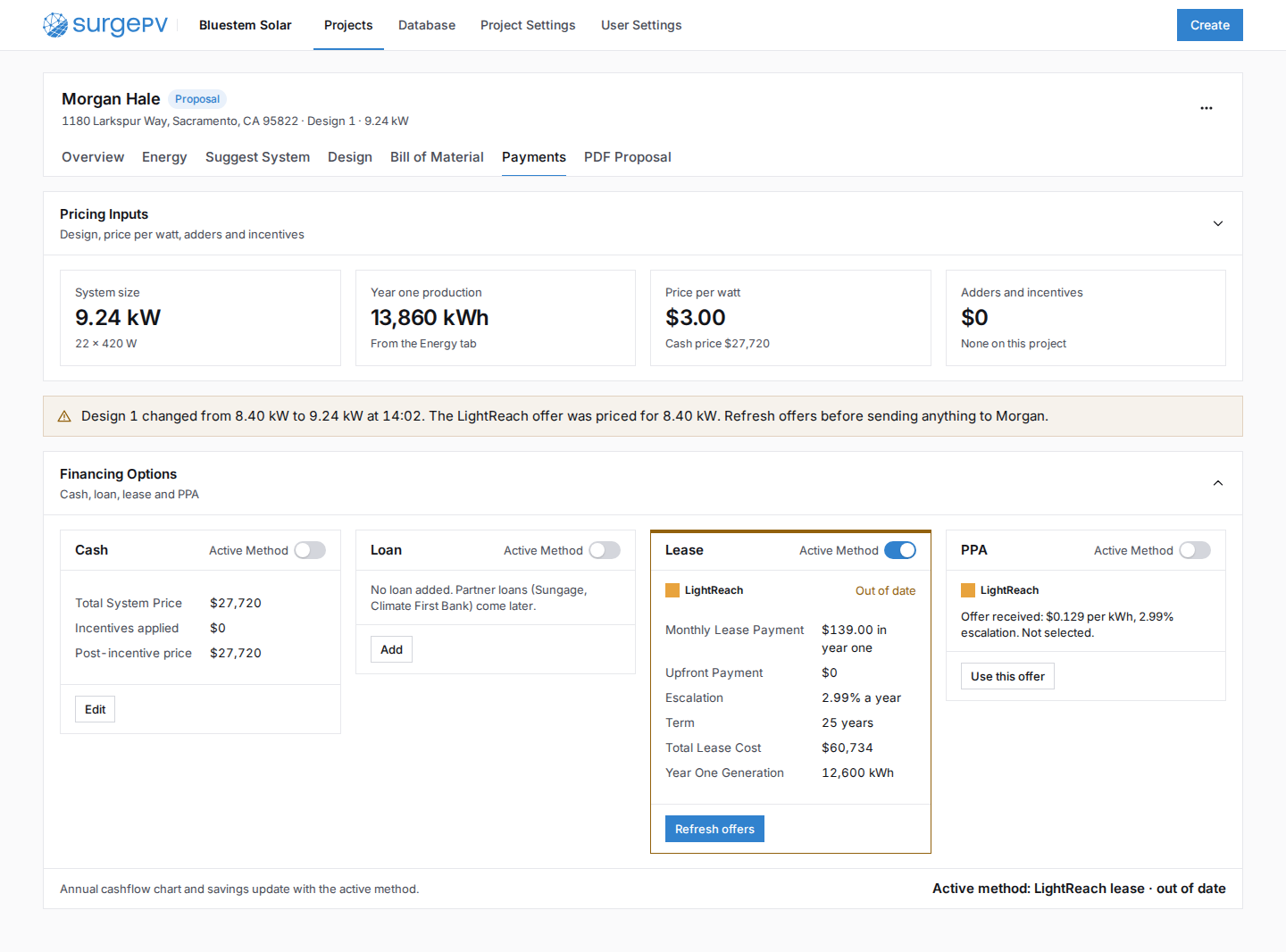
- Designers get LightReach offers from the Lease and PPA cards they already use. Nothing else on the Payments tab moves.
- SurgePV checks equipment, shade and missing data before asking LightReach for a price, so no quote fails at the end.
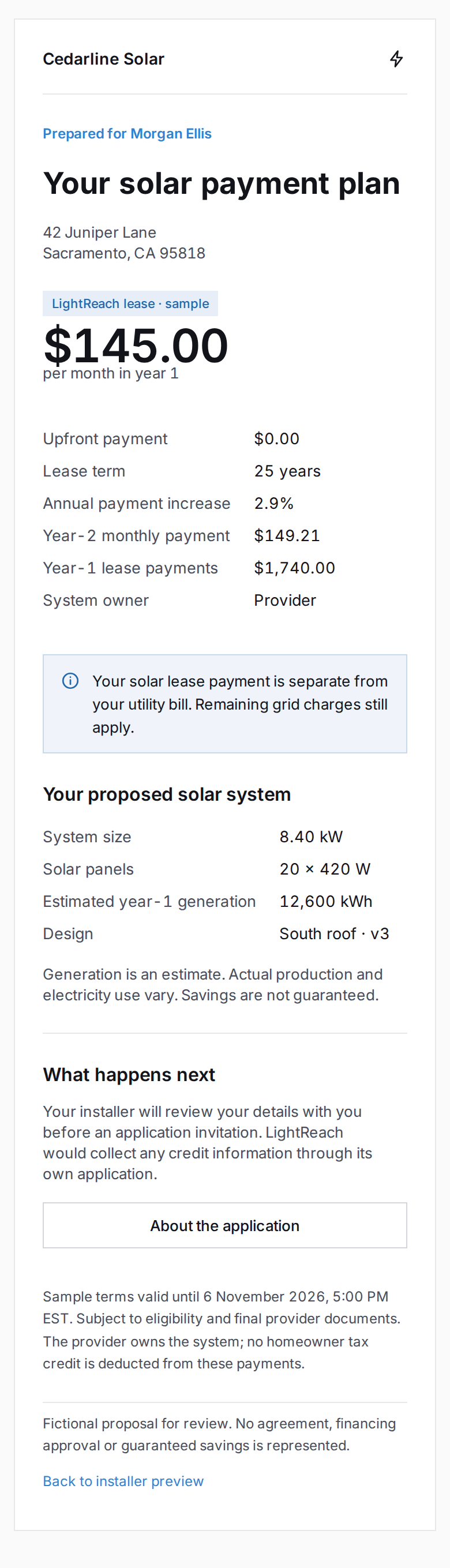
- The homeowner's credit application goes through a LightReach link. SurgePV only sees the result, never the SSN.
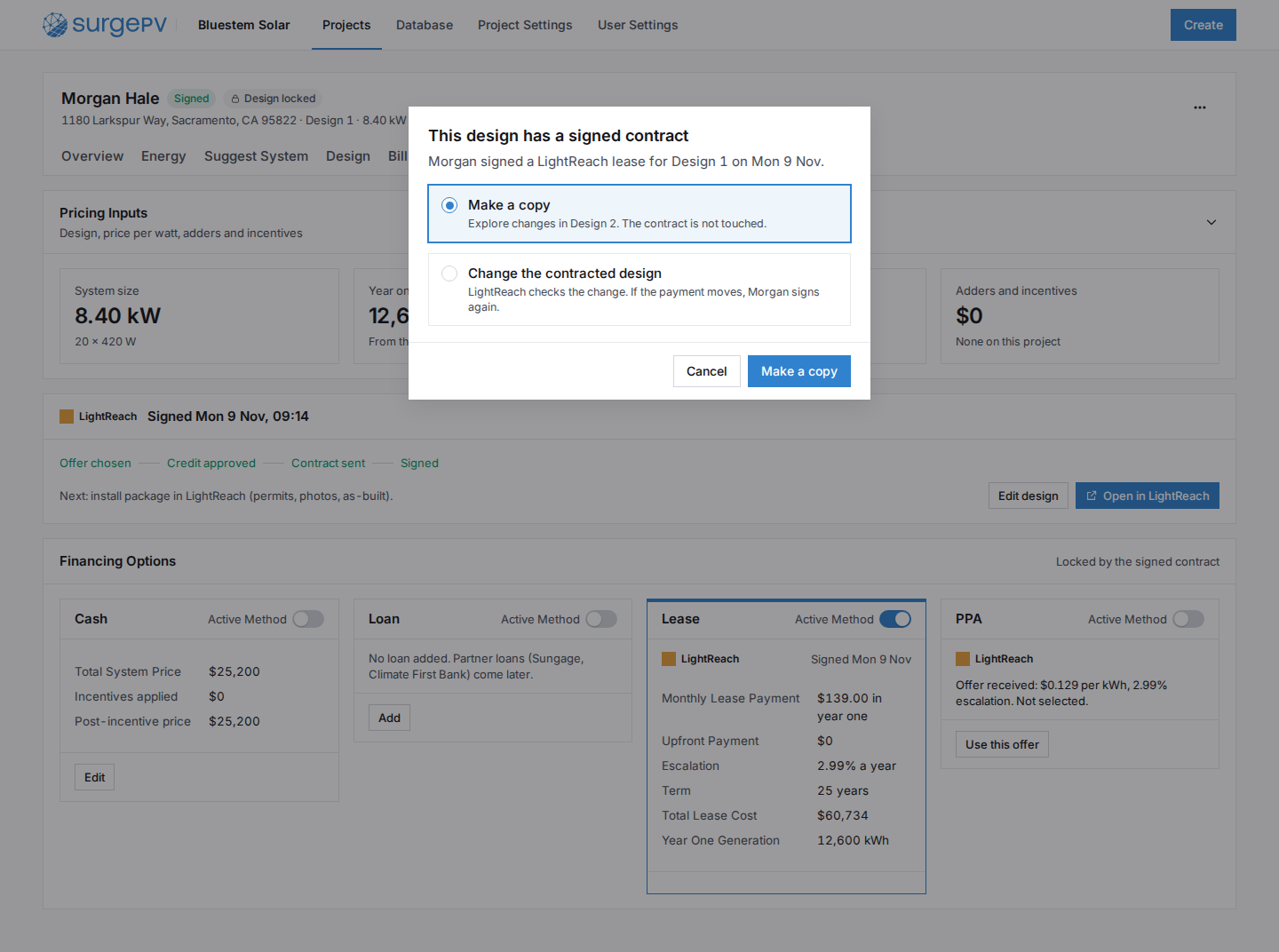
- Once the contract is signed, the design locks. Edits go to a copy, and an outdated offer is flagged with Refresh offers.
- Sungage, EnFin and Climate First Bank show as Coming later in the same list. They reuse the same cards.
1Connect LightReach (admin, once)
2Quote, credit and contract (per project)
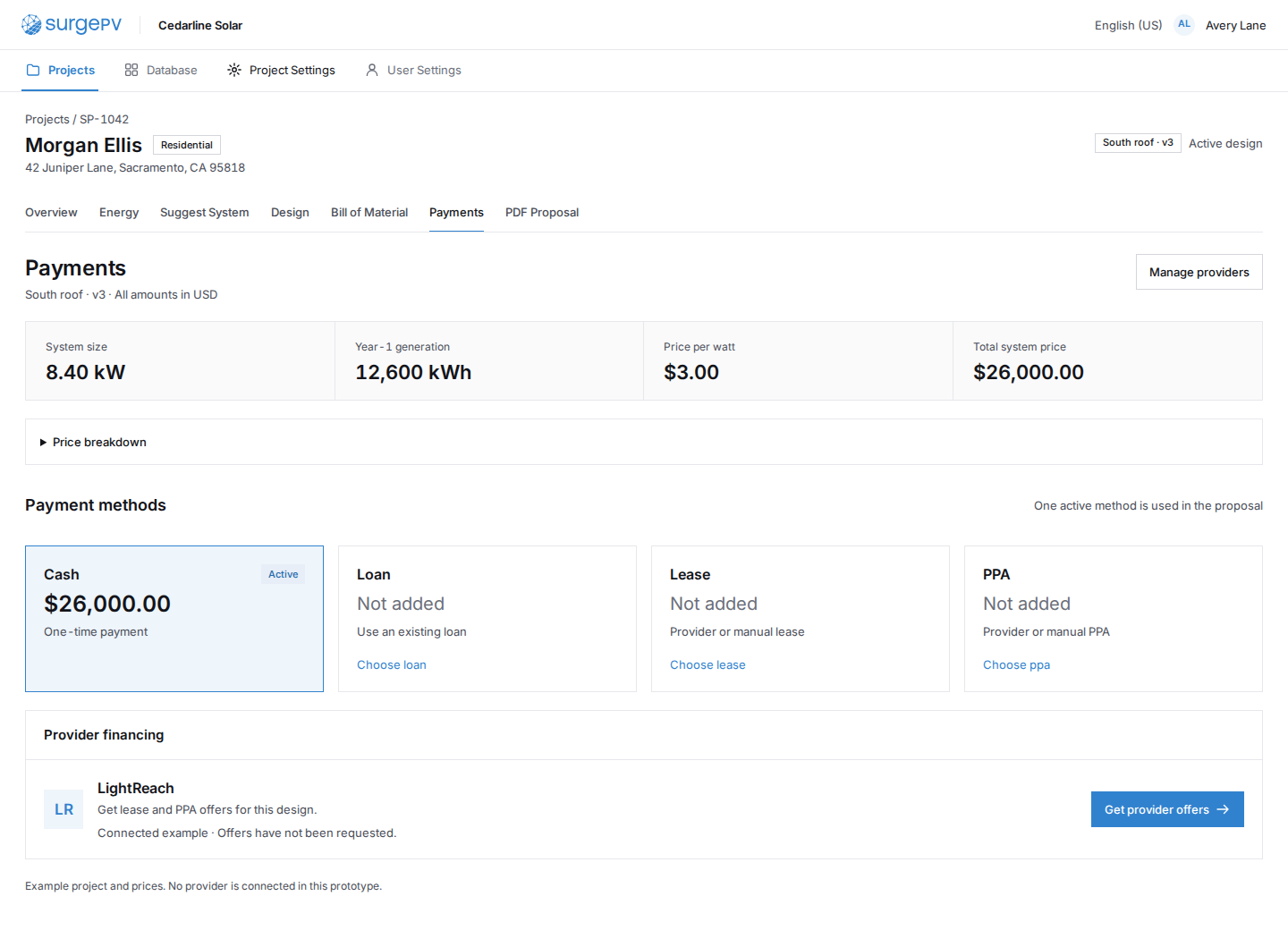 PY01Payments tab: LightReach in the Lease and PPA cards
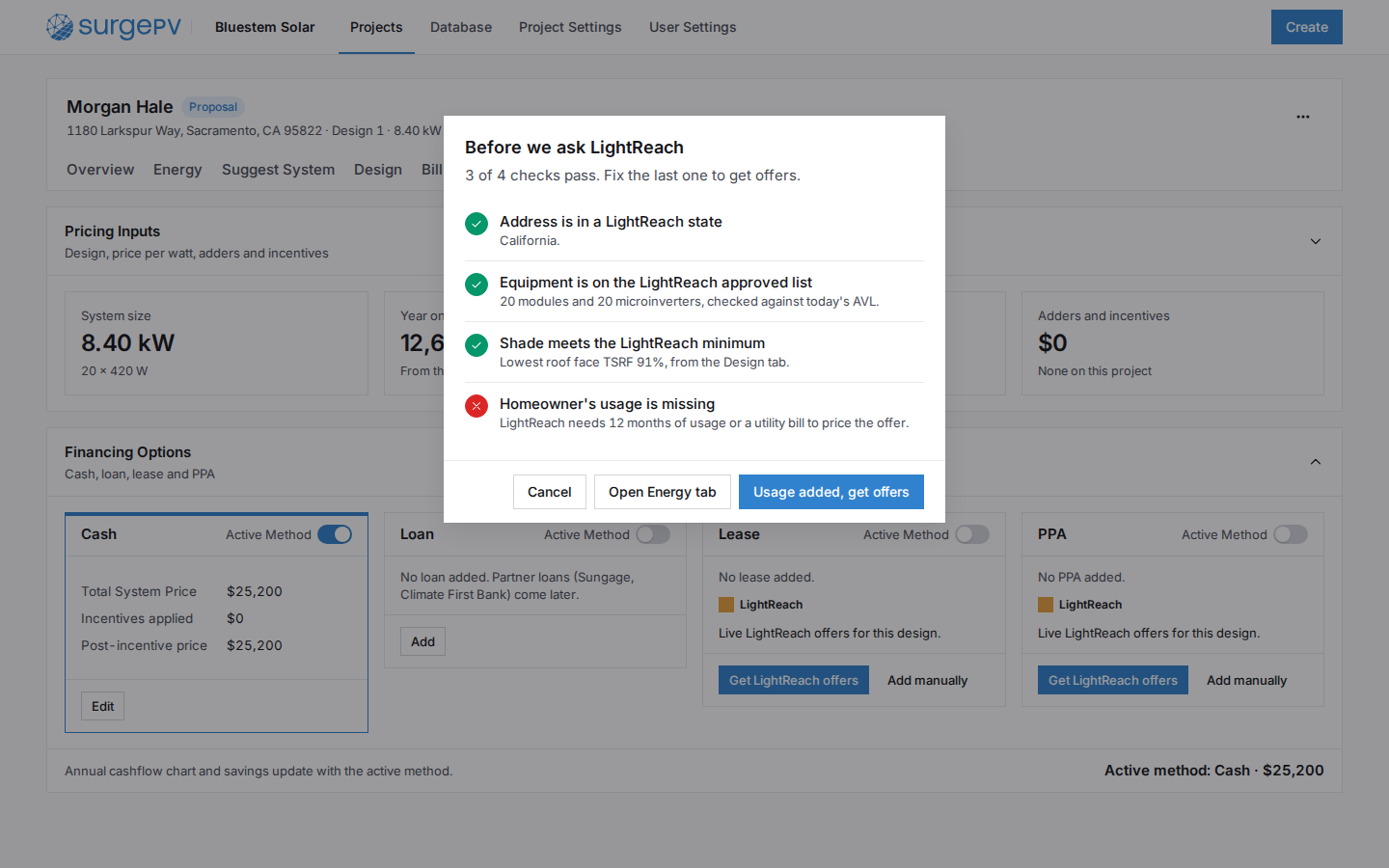 PY02Pre-check before asking LightReachNeeds backend workAVL and TSRF rules from the LightReach sync
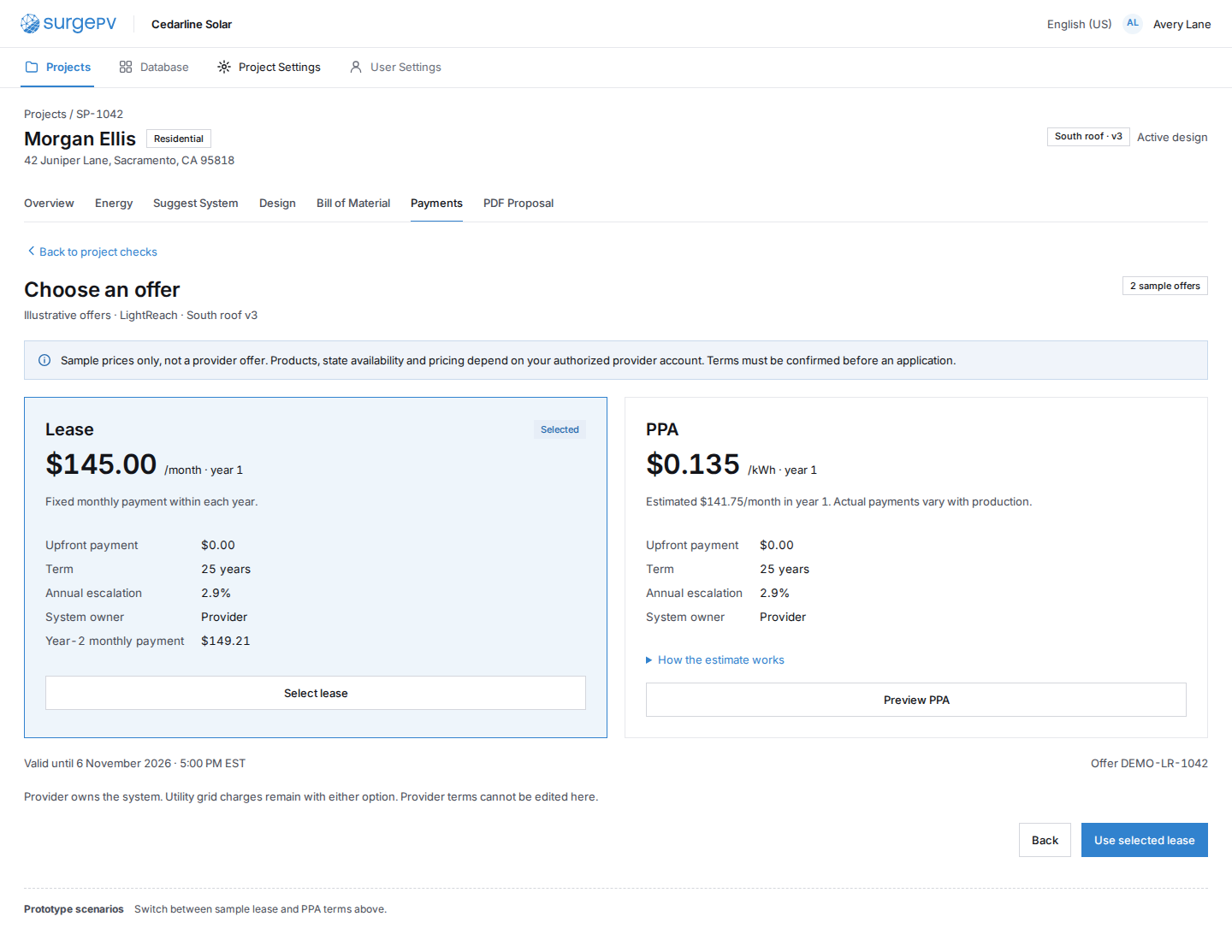 PY03Choose a LightReach offerNeeds backend workLightReach pricing and quote calls
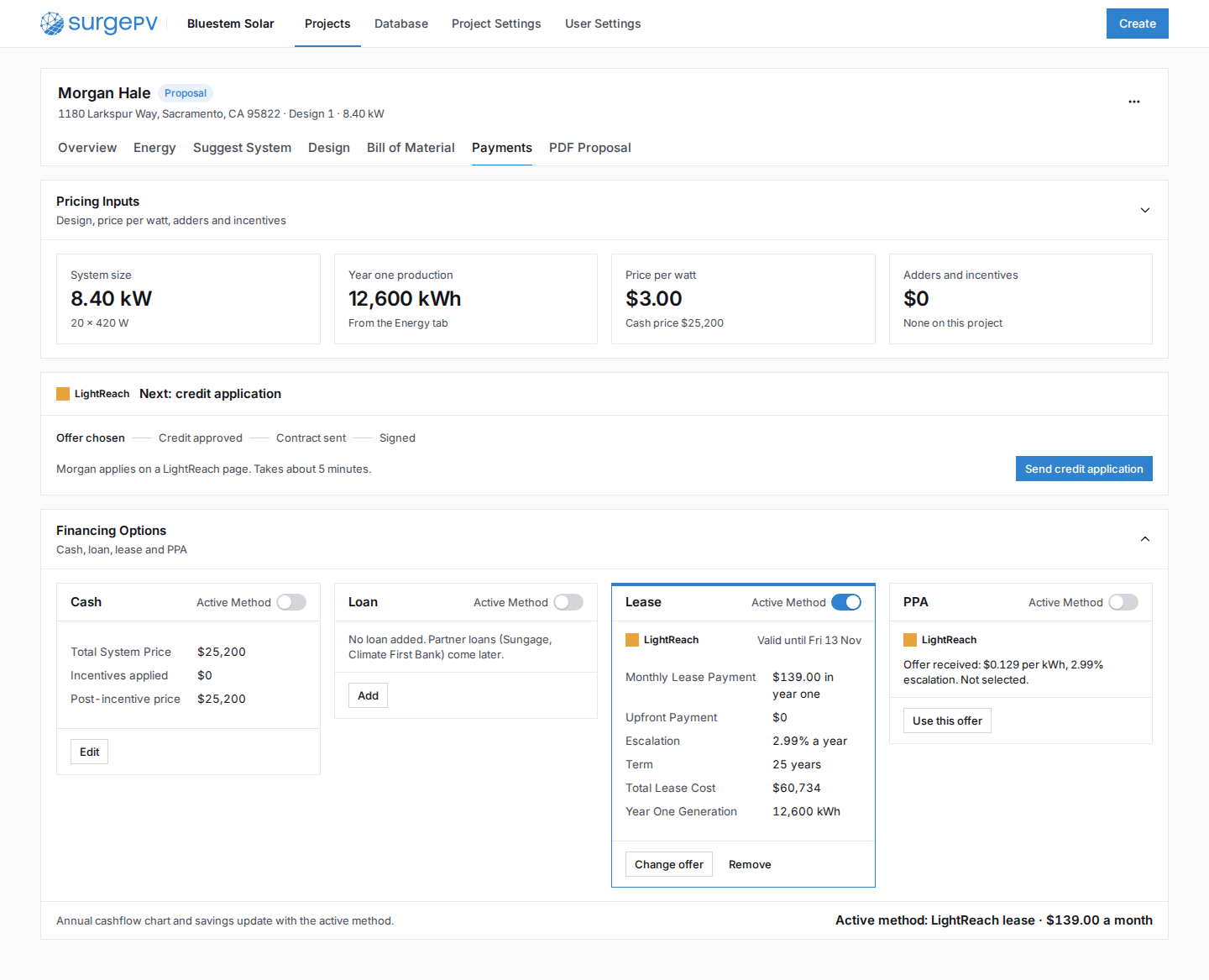 PY04LightReach lease is the active method
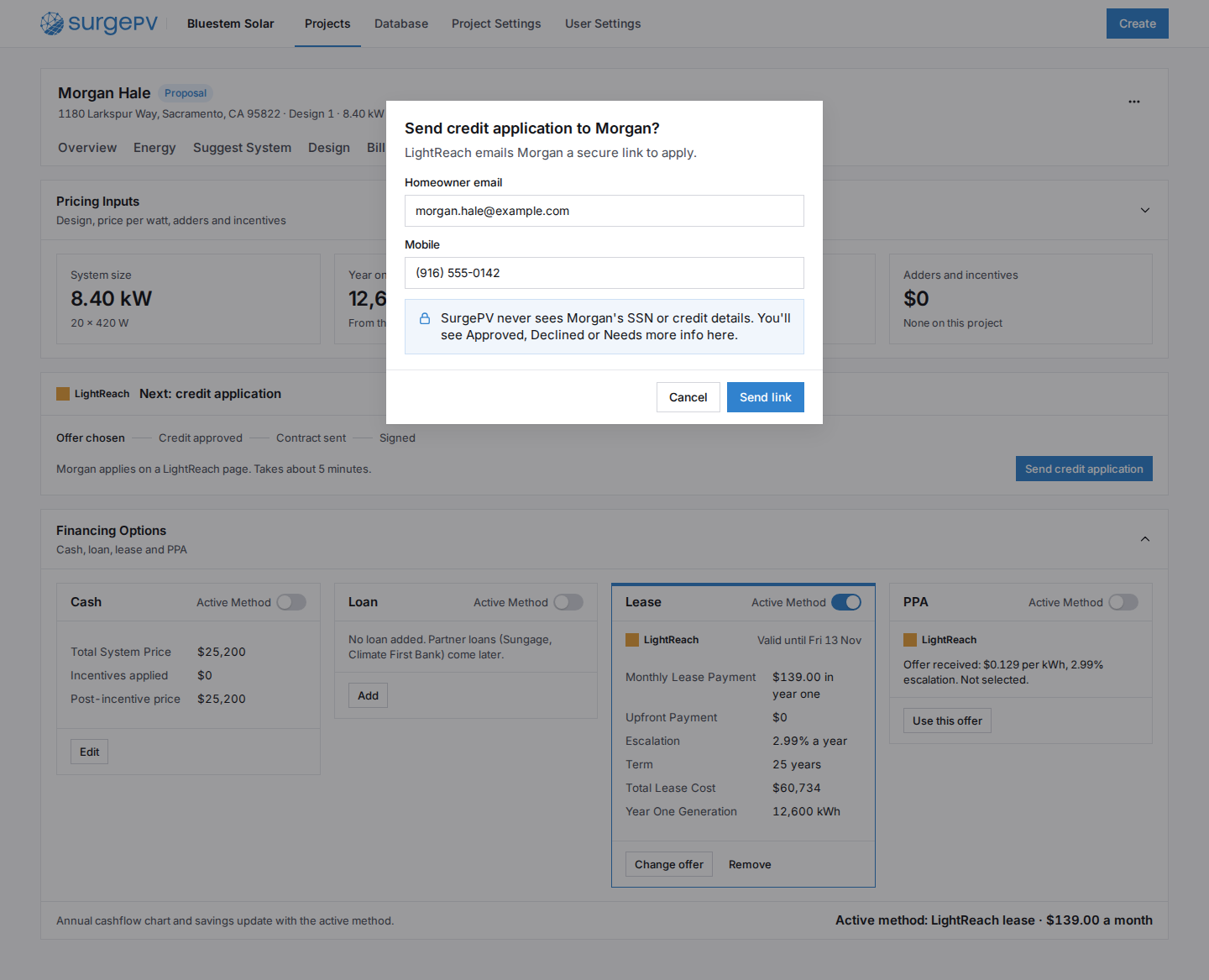 PY05Send the credit applicationNeeds backend workLightReach account and credit application calls; status webhooks
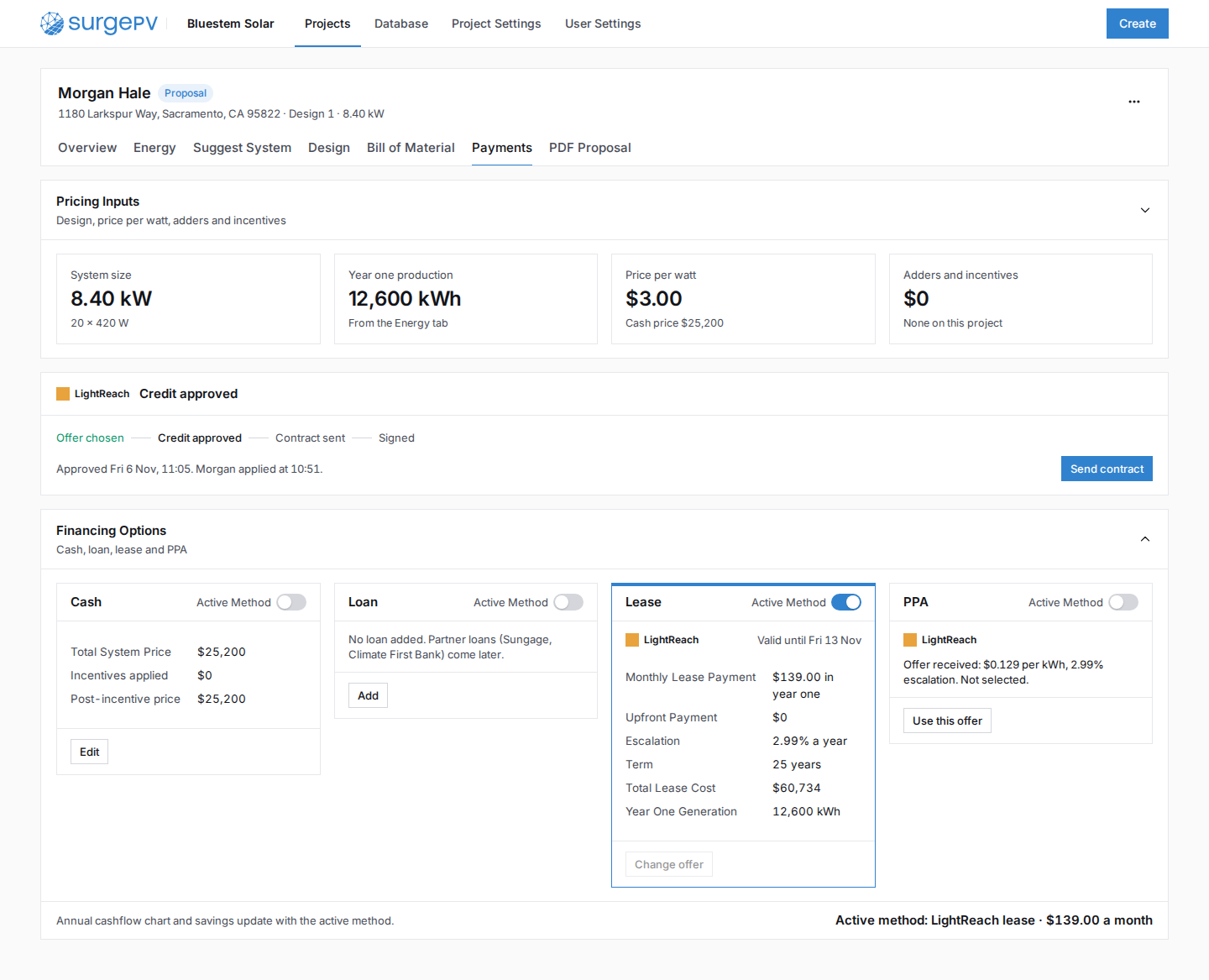 PY06Credit approved: send the contractNeeds backend workLightReach contract send
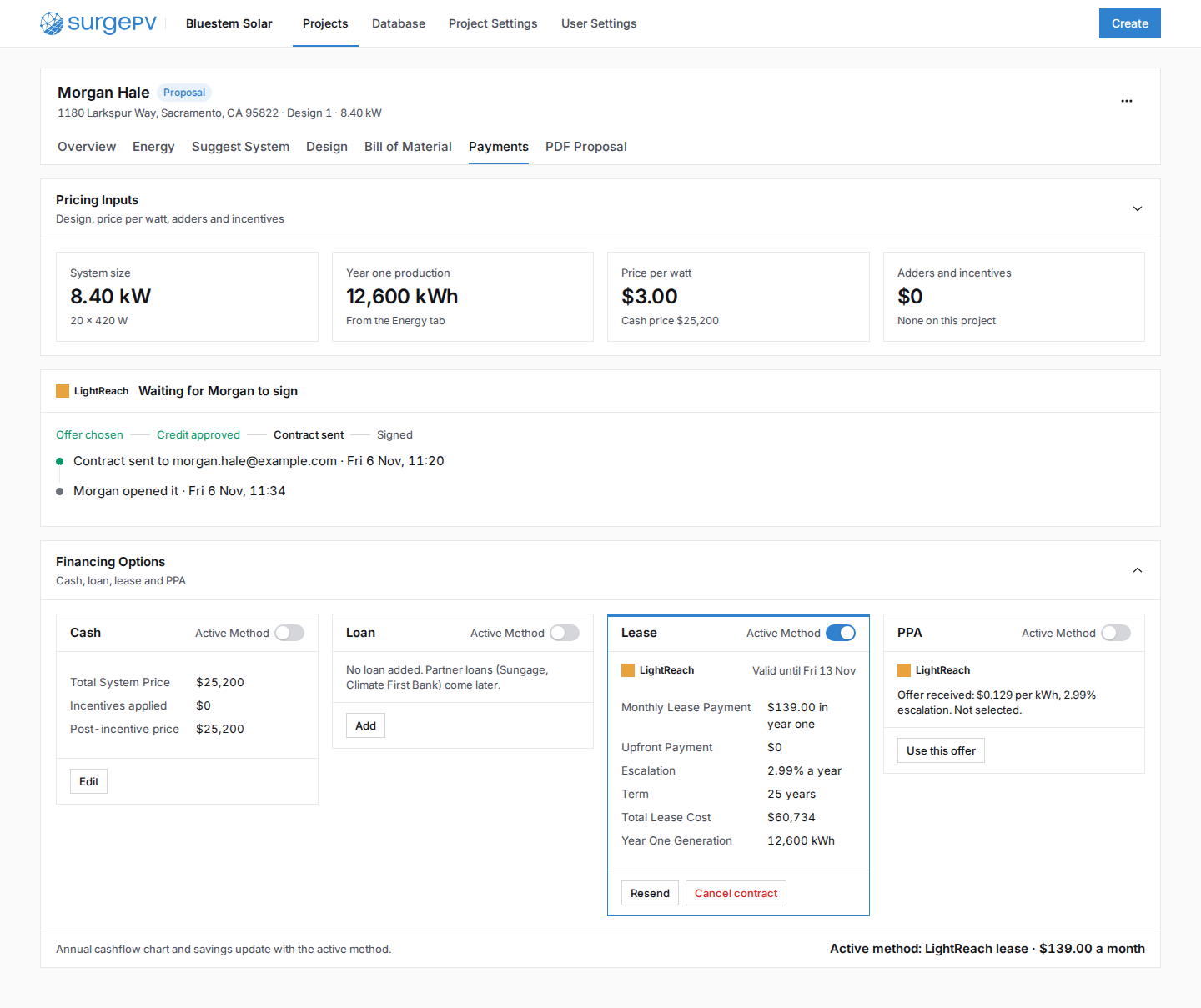 PY07Waiting for signature
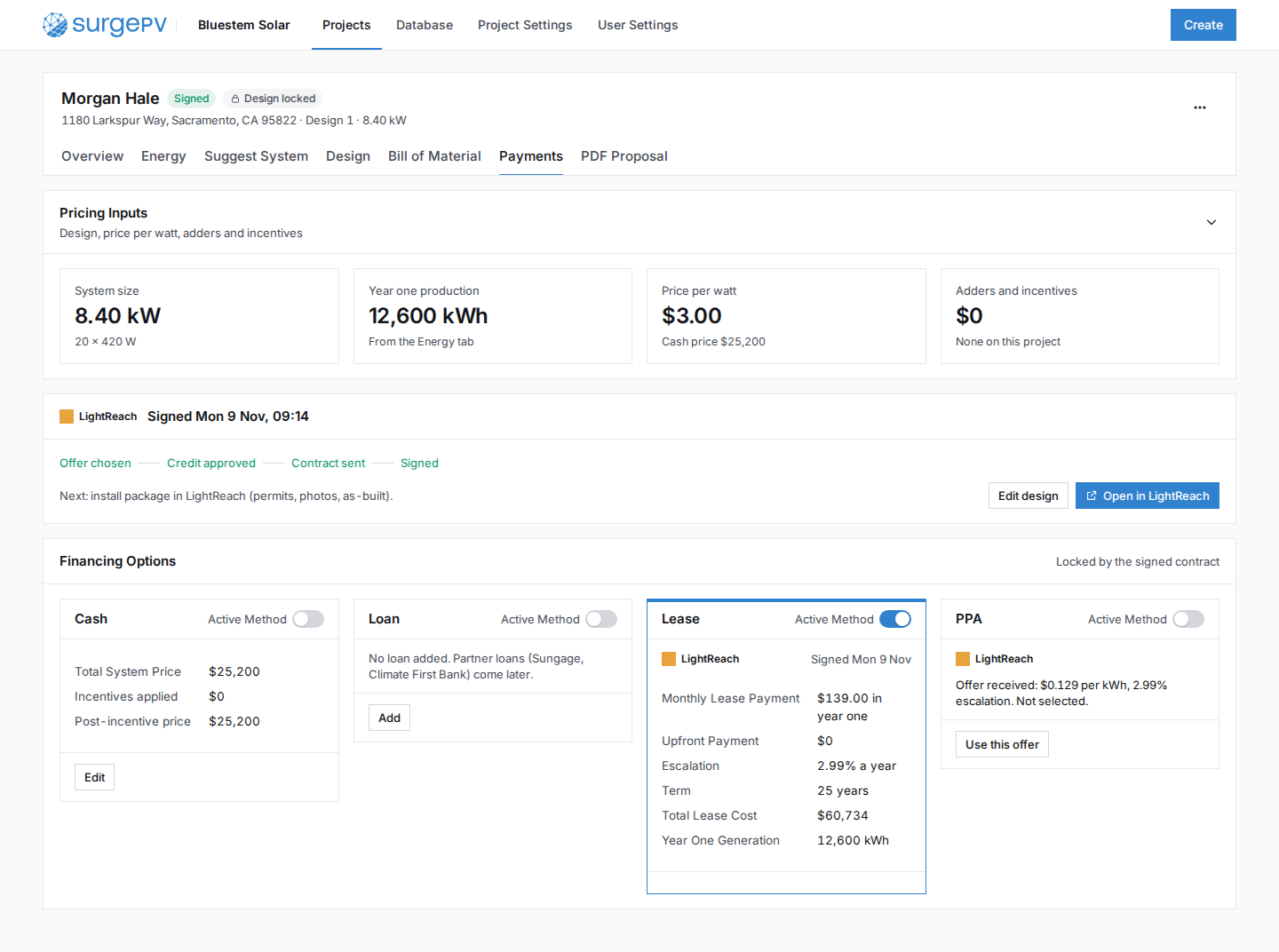 PY08Signed: design lockedNeeds backend workdesign lock tied to contract status